Permanent Outdoor Lighting App Control
A permanent outdoor lighting app can control colors, white-light tones, brightness, effects, presets, scenes, lighting zones, schedules, automation, and other connected lighting behavior from one interface. Instead of changing the physical installation whenever a different look is needed, users can change how the same permanent lighting system behaves from their phone.
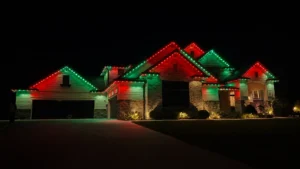
With the BlueHopper app, roofline, landscape, fence, pool-cage, and other compatible lighting can remain part of one connected system while still being controlled independently when needed. Users can move from everyday white lighting to a holiday scene, adjust one area without changing another, automate recurring lighting, or activate a saved look without rebuilding the lighting setup.
Color, White Light, and Brightness Can Be Adjusted Independently
Color control goes beyond selecting a basic red, green, or blue setting. BlueHopper provides access to 16 million color combinations, with controls for hue, saturation, individual red, green, blue, and white channels, and overall brightness.
White light can also be adjusted separately. Users can move between warmer and cooler white tones depending on whether the lighting is being used for everyday architecture, a patio, an entrance, landscape features, or another part of the property.
These controls make the app useful for subtle everyday lighting as well as more expressive color displays without requiring different fixtures for each purpose.
Scenes, Presets, and Effects Turn Settings Into Repeatable Looks
A scene allows several lighting choices to be saved together so the user does not have to rebuild the same appearance every time.
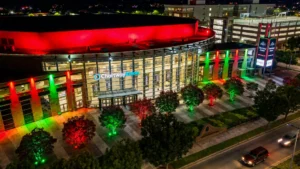
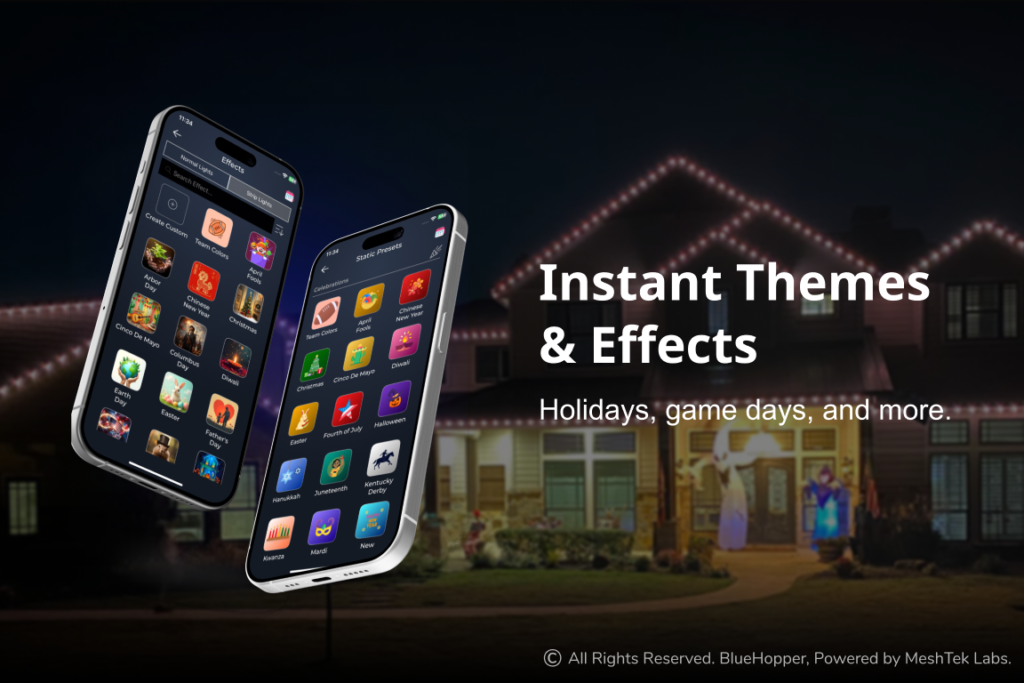
BlueHopper supports 100+ presets, effects, and scenes. A user might save one combination for everyday warm white, another for Christmas, another for a game day, and another for entertaining. Once those looks are created, the lighting can move between them without adjusting every fixture individually.
Effects add motion to the system rather than keeping every light static. Options such as Sparkle, Wave, Rainbow, and Fireworks can be applied when the occasion calls for more dynamic lighting, while simpler scenes can remain available for normal use.
Lighting Zones Let Different Areas Behave Differently
The app can divide a permanent lighting system into zones so the entire property does not have to operate as one lighting group.
A roofline can run one color while the landscape stays warm white. An entrance can remain brighter than a patio. Fence lighting can participate in a holiday scene without requiring every other fixture to use the same effect.
BlueHopper also supports virtual groups, allowing selected lights to be grouped for control even when they belong to different physical parts of the installation. A fixture can belong to more than one group, which makes it possible to create different combinations for everyday use, events, security, or full-property scenes.
Scheduling Changes Lighting Without Repeated Manual Control
Scheduling allows users to decide not only what the lights should do, but when they should do it.
BlueHopper schedules can use colors, whites, presets, effects, or scenes and apply them to selected lighting areas. The system supports dawn-dusk, daily, weekly, and yearly scheduling, so recurring behavior can be prepared in advance rather than activated manually every time.
A normal lighting scene might begin at dusk each evening, a holiday effect can run during a defined period, and another schedule can return the property to its everyday settings afterward.
Scheduling therefore turns the app from a manual remote control into an automation layer for the permanent lighting system.
Music Sync Makes Lighting Respond to Sound
Music sync allows selected lighting effects to react to music instead of following only a fixed scene or schedule.
BlueHopper can synchronize compatible lighting effects with audio, creating movement that follows the rhythm. This is more useful for parties, celebrations, entertainment areas, and special events than for everyday architectural lighting, so it does not need to be active all the time.
The important difference is that music response becomes another behavior available to the same permanent system rather than requiring separate event lighting.
Voice Control Removes the Need to Open the App for Every Change
BlueHopper’s Talk to Your Lights™ feature extends control beyond taps and sliders by allowing lighting commands to be given by voice.
A user can request a color, activate a lighting theme, or ask for a scheduled lighting change without manually navigating through several controls. Voice therefore works as another way of accessing the same lighting system rather than creating a separate control environment.
This becomes particularly useful when the user is occupied with guests, food, work, or another activity and wants to make a quick lighting change without stopping to configure individual settings.
The App Brings Separate Lighting Functions Into One Control Layer
The main value of app-controlled permanent outdoor lighting is not any single feature. It is the ability to combine color, brightness, whites, effects, scenes, groups, schedules, automation, music response, and voice commands within the same installed lighting system.
With BlueHopper, users can decide which areas should change, what those areas should display, when those changes should happen, and whether they should occur manually or automatically.
The physical lighting remains permanent; the app changes how that permanent system behaves from one occasion to the next.